
What iTunes would be,
if it had kept going.
For everyone left behind when iTunes became Apple Music. For libraries streaming was never going to hold: the unreleased, the out of print, the white labels, the promos, the edits and dubs that exist nowhere but your own drive.

Genre to artist to album, plus 15 categories down the side.
- Genre to artist to album, the classic cascade, over a table of everything you own.
- 15 smart categories down the side — unreleased, acapellas, instrumentals, remixes, stems, masters, live, videos, duplicates, missing.
- Loved and Disliked as real fields. A disliked track leaves every list and every shuffle — the thing the other app never finished.
- Build a crate in the same window you are digging in, and drag straight down into it.
One library, four layouts: Play, Prep, Studio and Desk.
Not four apps — one library, shown four ways. Press a mode and the panels for that job appear; your music, crates and settings do not change. Every panel can also be switched on and off by hand.
Play
It mixes itself. DJ Flow, on matched key and tempo.
Prep
Building a set. What pairs with this record, and why.
Studio
Your own records. Every version, side by side.
Desk
Putting it out. Three steps to a finished release.
Play
Put it on and let DJ Flow mix — matched key and tempo, changing on the beat.
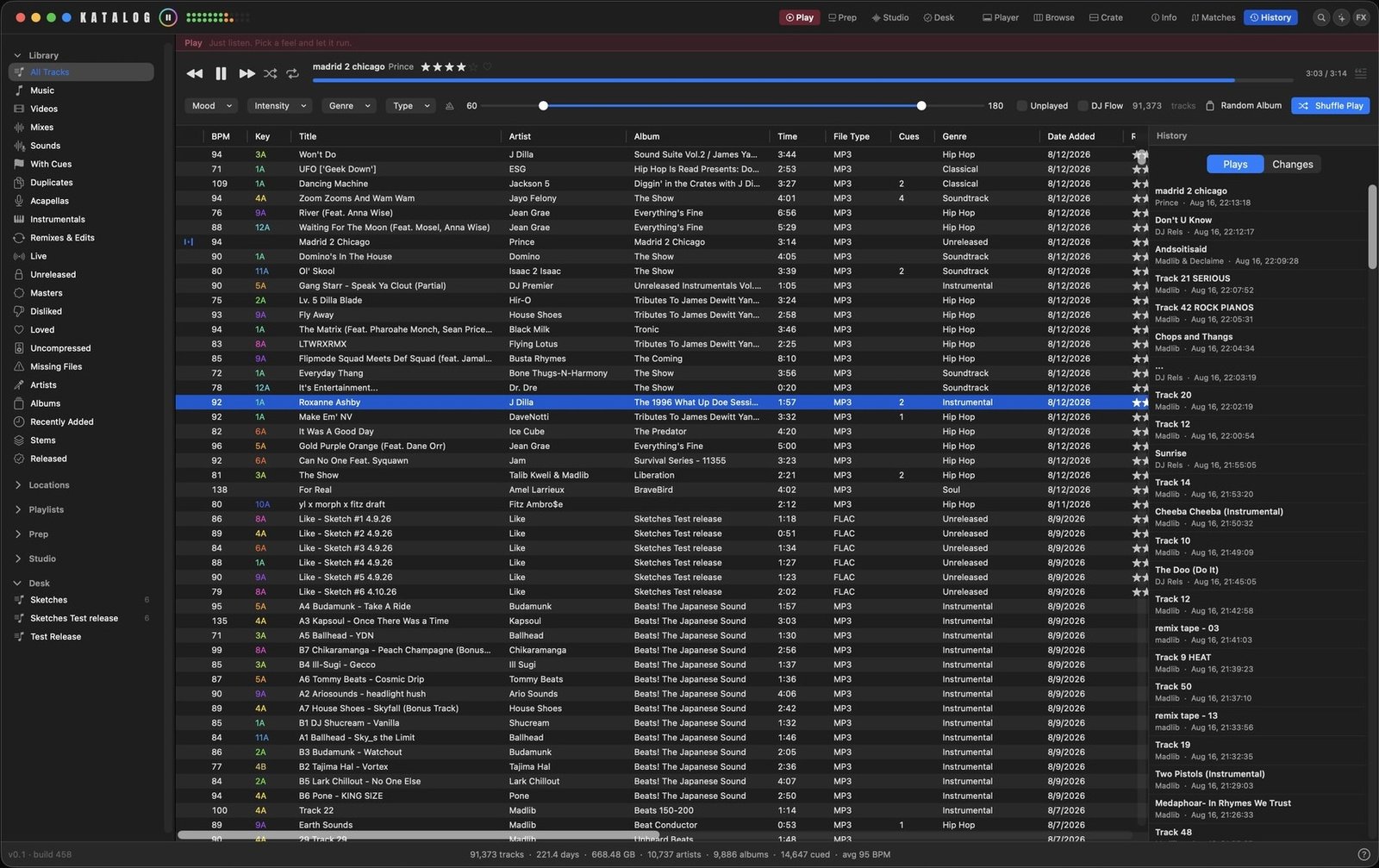
- Frequency-coloured waveform — real band-split energy, cached per track.
- Real varispeed — hold to fast-forward and it plays at speed, tape-style.
- Mood and intensity filters, or shuffle a random album.
- 30-band EQ in its own window, with a bypass for A/B.
Prep
Build a set. What pairs with this record, previewed without moving the deck.
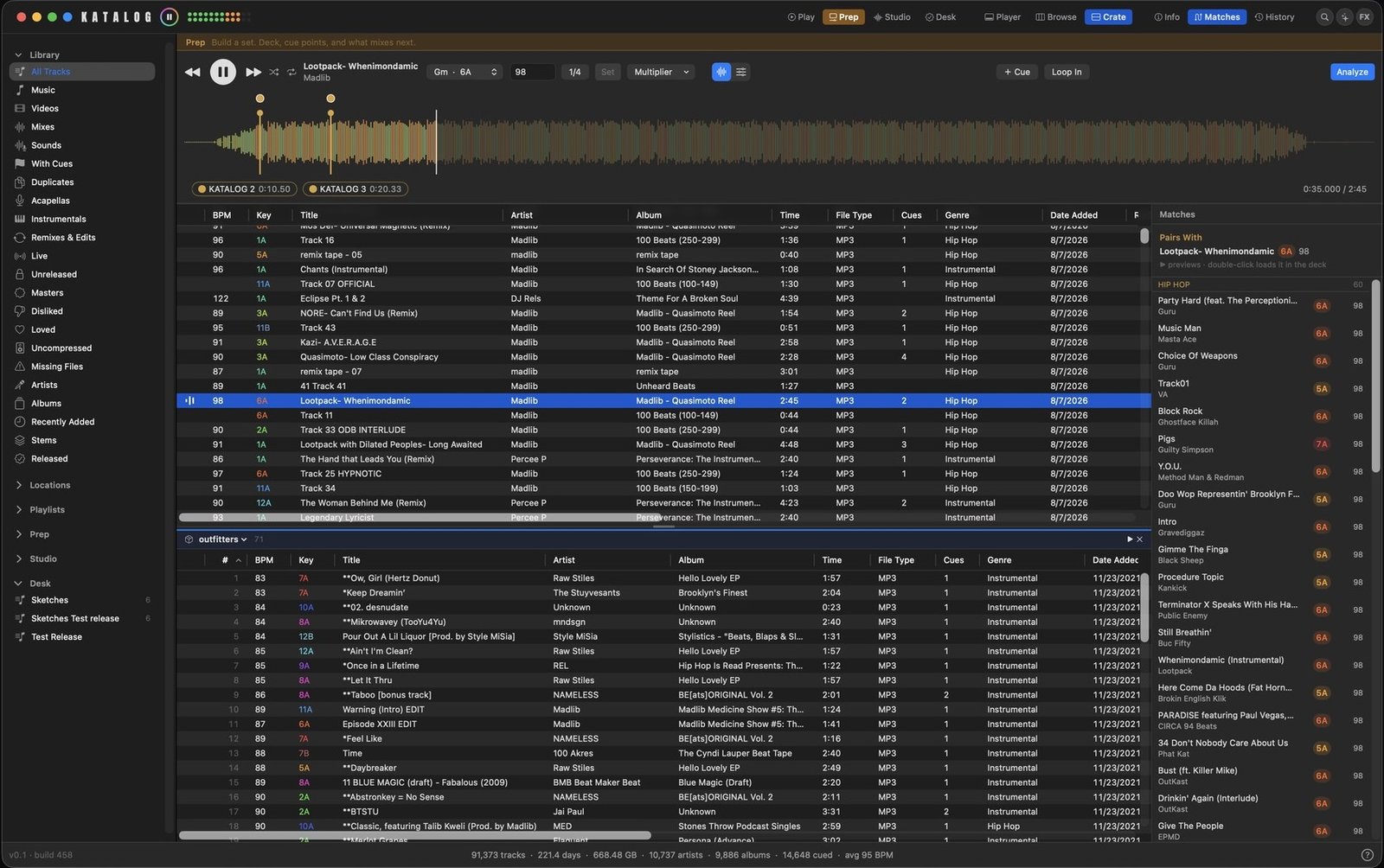
- Hot cues on 1–8. An empty slot punches one in where you are.
- Loops on
[and], drawn on the waveform. - Harmonic matching by key and tempo, including half and double time.
- Tempo and key analysed on your machine — correlation, not a guess at the loudest note.
Studio
Every version of one song side by side, and A/B without losing your place.
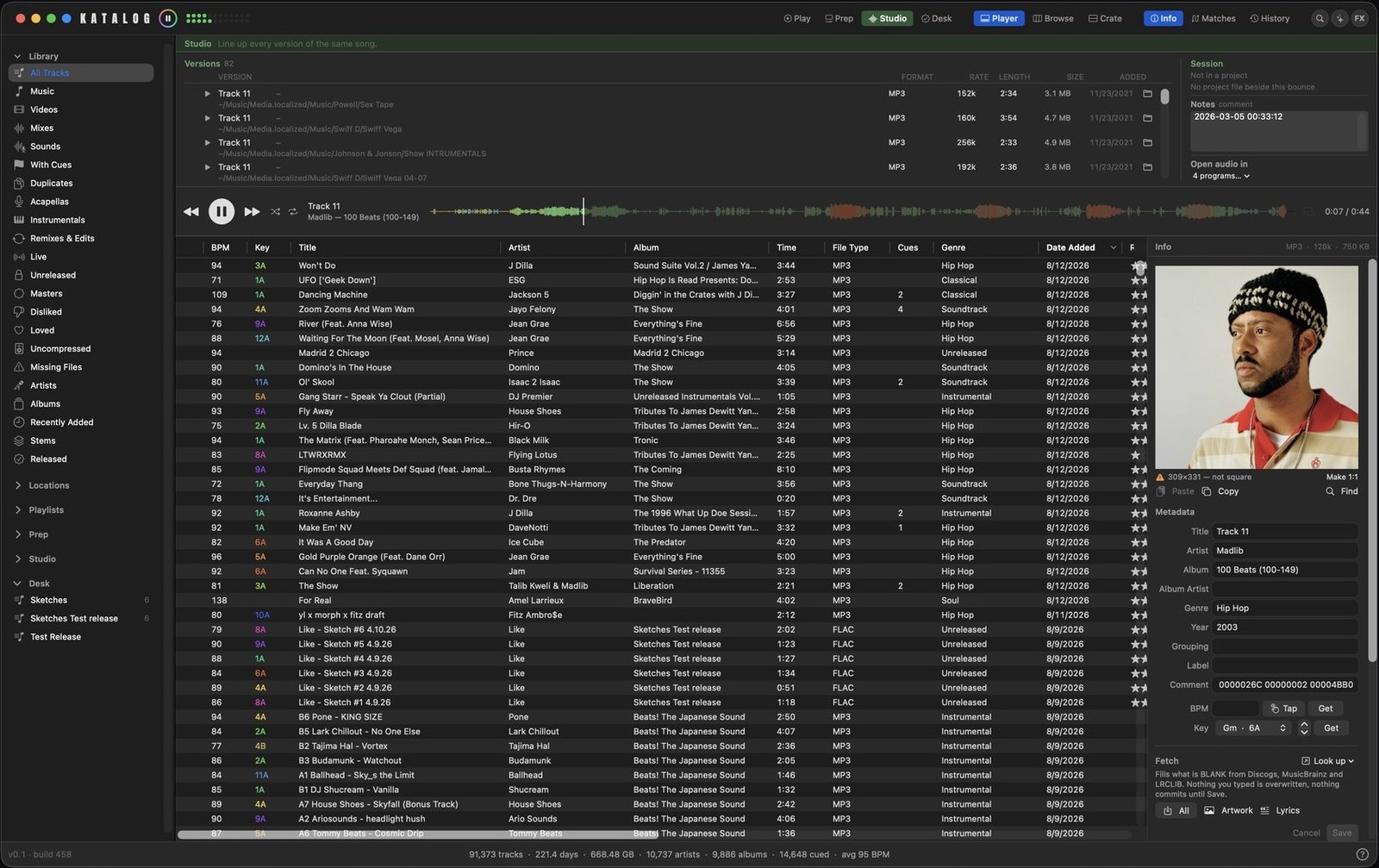
- Version families — original, instrumental, acapella, remix, stem, demo, rough, live.
- A/B compare that holds the playhead, so you hear the same bar twice.
- Mark the master, and it is badged everywhere after that.
- Finds the DAW project sitting beside the bounce.
Desk
Three steps to getting a record out the door.
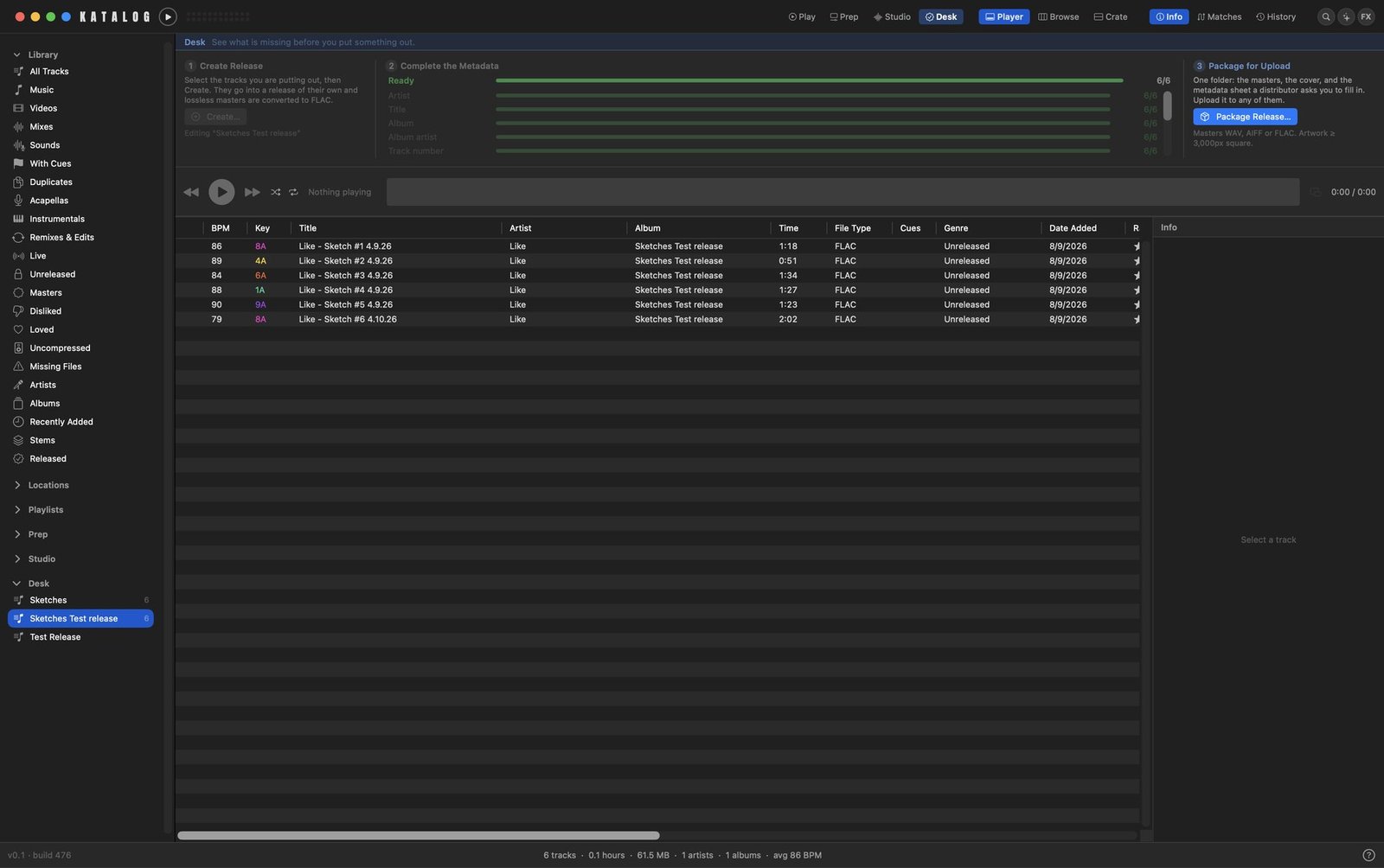
- Delivery targets — streaming, Bandcamp, promo, sync. Each with its own bar.
- Blockers ranked by how many tracks each one holds up.
- Build the package — numbered audio, cover, and the metadata sheet a distributor asks for.
- Lossless masters converted to FLAC on the way out.
Nothing is moved, renamed or re-encoded. Ever.
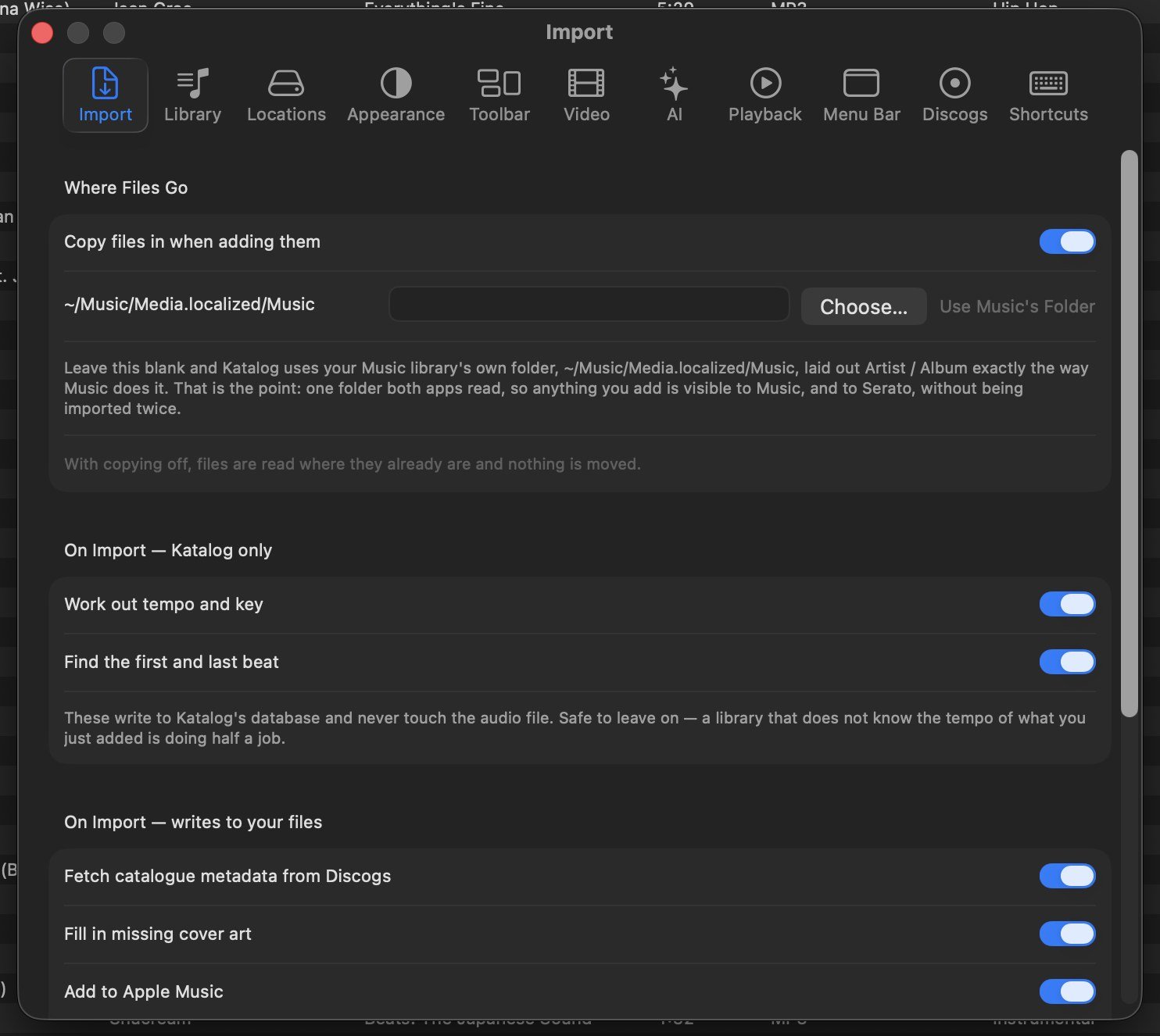
Katalog keeps its own database, but your audio files stay exactly where they are, in whatever format they already are.
- Byte-exact import from folders or drag-in. No transcode, no rename.
- Copying into a Katalog folder is optional, and off by default.
- Multiple media locations, including external drives, switchable on and off.
- Missing files found and relinked, with acoustic fingerprints to tell near-identical files apart.
- Undo and redo across the library.
⌘Z
Sort three levels deep. Genre, then BPM, then key.
Forty-odd columns to choose from, and the sort is not limited to one of them.
- Shift-click a second header to add a level. Genre, then BPM, then key — three deep, which is how you really look for a record.
- Show and hide any column from the header itself. Your layout is remembered per view.
- Sort on things other apps do not carry — cues, key, sample rate, date created, last played, skips, album rating.
- Sort by One Column Only when you want the simple behaviour back.
- The crate keeps its own order underneath, so sorting the list never disturbs the set you are building.

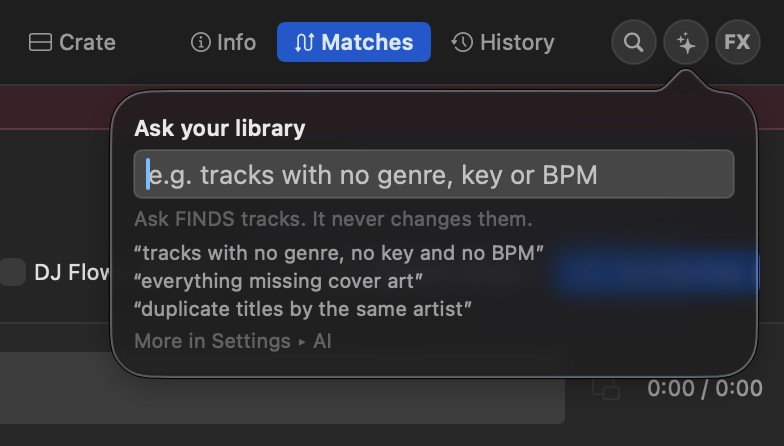
Ask for what you want in plain English.
For questions a search box cannot answer — usually about what is missing across tens of thousands of tracks.
- “tracks with no genre, no key and no BPM”
- “everything missing cover art”
- “duplicate titles by the same artist”
- It finds. It never changes. Ask is read-only: it cannot edit a tag, move a file or delete anything.
Serato, rekordbox and Apple Music, both directions.
Including Apple Music, which stopped writing the file every other app reads.

- Serato, both directions. Reads and writes crates, cues, loops and beatgrids — into the files themselves.
- rekordbox, Traktor, Engine, VirtualDJ, Mixxx — one XML export they all import.
- Apple Music, both directions. Music no longer writes
iTunes Music Library.xml, which is why Serato's Music panel has been empty for people since Catalina. Katalog writes it. - Your ratings come with you — stars, loved, play counts, dislikes and playlists, read out of Music in one pass during setup.
Artwork, lyrics and tags, written into the files.
Open those files in any other app, on any other machine, and the artwork, lyrics, tags, tempo and cues are still there.
- Artwork matched with a hard artist gate — the right cover, or none.
- Lyrics fetched and embedded, timed where available, with a pop-out that lights the current line and seeks on click.
⇧⌘L - Discogs lookup for catalogue numbers, labels and pressings.
- Tempo, key and beatgrids written where Serato and hardware read them.

Find fake bitrates, duplicates and missing files.
Fifteen of them. Each runs on the whole library or only on what you have selected.
- Find fake bitrates — the MP3s that say 320 but were encoded from a 128k source. That difference is audible on a system.
- Find & recover missing files — tracks whose file moved or was renamed, relinked or copied back in.
- Find duplicates — groups the tracks that are the same recording, so you can keep the best copy.
- Analyze BPM & key — tempo, key and in/out points, worked out locally. Nothing leaves this Mac.
- Update DJ library file — rewrites what Serato, rekordbox, Traktor and Engine read, so they see everything Katalog knows.
- Snapshot library — a restore point before you change anything big.
Also: files not in the library, empty folders, missing artwork, lyrics, tag re-scan, convert and replace, and plain-text export.
Live FX, a mini player, and shortcuts that work anywhere.

Live FX
Echo, roll, filter, gate, crush and flanger on an XY pad, with a censor and sixteen sample pads.

Right-click a track
Rate it, analyse it, look it up on Discogs, write tags into the file, send it to a crate.

Mini player
The transport in its own window, sized how you leave it and back where you left it. ⌃⌘M

Menu bar
Play, skip and rate without bringing the window forward.

Keyboard
Three layers, all rebindable. The universal ones fire from any app, and there is no option key anywhere.

It explains itself
Every tool, in the app, with its shortcut beside it. No manual to go and find.
Everything else, in one list.
Library
- Duplicate detection and merging
- Artist-from-title repair, matched against artists you already have
- Corrected bitrates — no more MP3s claiming 2304 kbps
- Smart crates that re-run their rules on open
- Drag-reorder the sidebar, order remembered
Playback
- Cue jump and punch-in, pitch bend, tap tempo
- Audition without moving the deck
- Video pane for music videos
- Soft mute that drops to a floor
- Play counts carried over and counted here
Finding things
- Search the whole library.
⌘F - Ask in plain English when a search box cannot phrase it
- Missing-file detection with fingerprint disambiguation
- Deep duplicate scan on filename and byte size
- 17 columns, any of them sortable
Yours
- No account. Nothing to sign up for
- No cloud, no telemetry. Nothing is sent anywhere
- Your audio is never uploaded — not for analysis, not for matching
- The library is one file you can copy and back up
- Buy once. No subscription, no renewal
Download it, drag it, point it at your music.
It reads your existing Music, Serato and rekordbox libraries without moving or altering a single audio file — but it is beta software, so point it at a library you have backed up.
Already have Katalog? Download it once more and it keeps itself current after that — updates and fixes arrive in the app. This one also brings reverse play, seamless looping, the smart playlist fix and more.
A paid license is optional. All basic features are free. A support license is $30 — one payment, no subscription — and it unlocks all the extras that makes it worth it. The full version is yours to try right now for 30 days.
- Open the DMG and drag KATALOG to Applications.
- Double-click it. Signed with an Apple Developer ID and notarised by Apple, so there is nothing to click past.
- Point it at your music folder when it asks. Nothing is copied or moved.
- Coming from Music? Say yes when setup offers to bring your ratings across.
Featured on Mac & These